Editing images in WordPress has always meant compromises. Either you use the built-in editor with its limited tools, or you jump out to an external application, edit there, and re-upload. We wanted something better.
Advanced Pixel Editor is a free WordPress plugin that brings ImageMagick-powered image editing directly into your admin dashboard — no external tools, no re-uploading, no disruption to your workflow.
Why We Built This
WordPress uses the GD library by default for image processing. It works, but the results are noticeably inferior to what ImageMagick can deliver — especially for sharpening and contrast adjustments. Most hosting providers already have ImageMagick installed, but WordPress doesn’t take full advantage of it.
We built Advanced Pixel Editor to change that. Every filter runs through the Imagick PHP extension, giving you professional-quality results right inside the Media Library.
What You Get
The plugin adds a full image editor under your Media menu with everything you need for quick, professional adjustments:
- Contrast Control — Fine-tuned contrast adjustment powered by ImageMagick
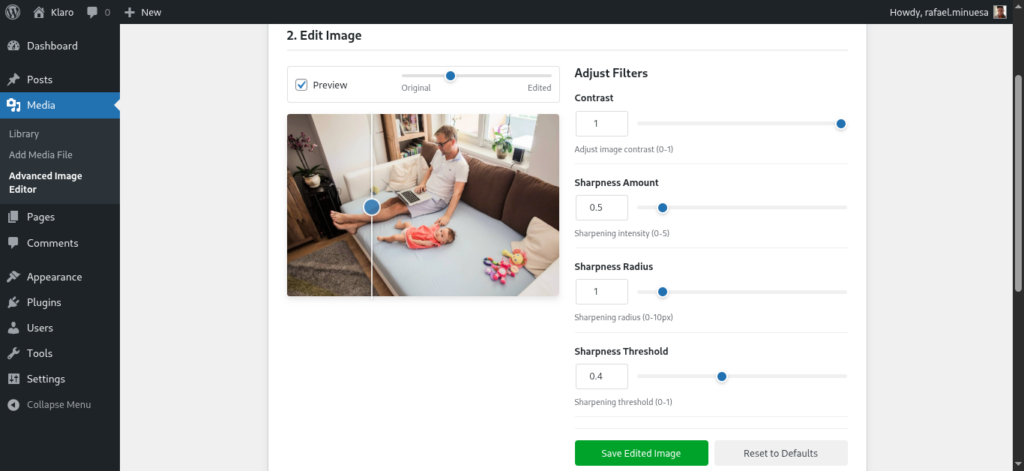
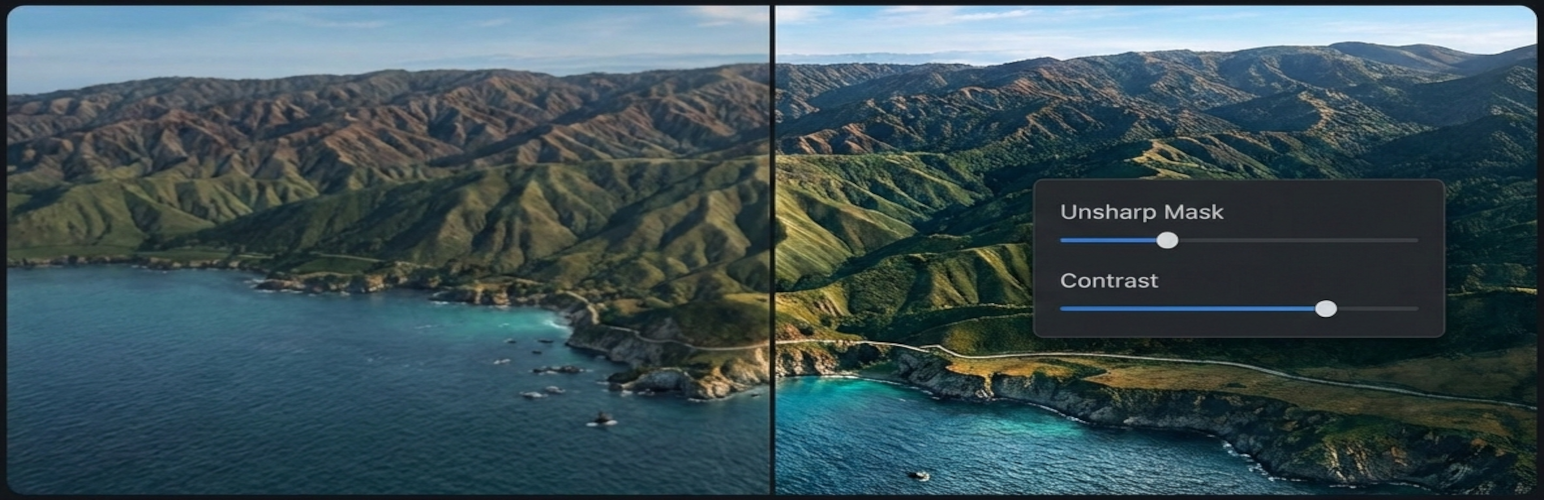
- Unsharp Masking — Professional sharpening with control over amount, radius, and threshold
- Real-Time Preview — See your changes instantly as you move the sliders
- Before/After Slider — Drag to compare your edits against the original, with touch support on mobile
- Save Options — Save as a new image or replace the original (with automatic backup and one-click restore)
Works Where You Already Are
You don’t need to navigate to a separate page to start editing. Advanced Pixel Editor adds an “Advanced Editor” button right next to “Edit Image” in the Media Library — in grid view, list view, and on attachment edit pages. Click it, and your image loads directly into the editor.
Built the Right Way
We took security and accessibility seriously from day one:
- Nonce verification and capability checks on every AJAX request
- Rate limiting to prevent abuse
- Strict base64 image data validation
- Full keyboard navigation and screen reader support
- Responsive design that works on any screen size
The plugin supports JPEG, PNG, GIF, and WebP formats, and handles images up to 4096×4096 pixels with optimized memory management.
Need More?
The free plugin covers the essentials, but if you’re a photographer, run an eCommerce store, or manage images at scale, Advanced Pixel Editor Pro adds batch processing, advanced filters (brightness, saturation, hue, sepia, vignette, blur, and more), interactive crop and resize with aspect ratio presets, and professional watermarking with text, image, and tiling options.
For a full walkthrough of both versions, check out our detailed plugin review.
Get Started
Download Advanced Pixel Editor from WordPress.org, or from GitHub — it’s free and always will be.
Requirements: WordPress 5.6+, PHP 7.4+, and the ImageMagick PHP extension (available on most hosting providers).