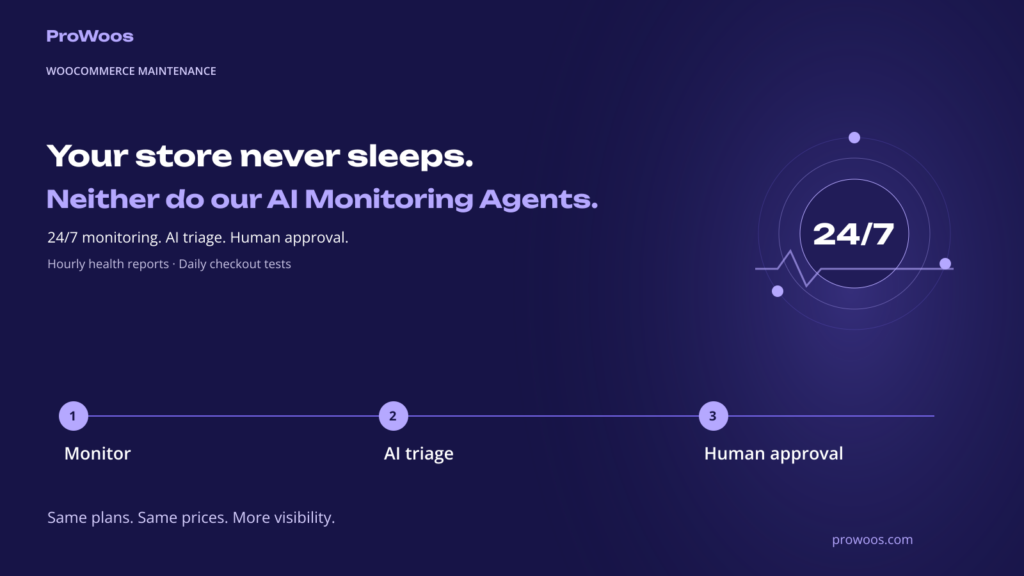
Our WooCommerce maintenance plans have been rebuilt. Since today every plan comes with a plugin developed by us, installed on the WooCommerce store, monitoring that runs round the clock, and an AI Agent that reads every alert, every pending update and, on the upper plans, every new order before a person does. The person still decides, if you configure the plugin that way. The AI Agents can run some sets of actions unattended, and can learn about the environment they are installed in to determine the best course of action.
The gap we kept seeing
Over the last year, almost every incident on the stores we look after followed the same script. Something breaks or drifts: a plugin update resets a payment setting, a card-testing bot finds the checkout, a config file is overwritten, a payment provider is switched without anyone telling the developer. A customer or someone on the team notices, hours or a day later. Only then does the search for the cause begin.
Uptime monitoring does not close that gap. A store can be “up” with a broken checkout for a whole weekend. What closes it is something on the store that reports every hour, a check that walks through the checkout at given times, and someone who reads the alerts before they pile up. That someone is now partly an AI Agent.
What runs on every plan now
The ProWoos Agent plugin. One plugin and one license key. Once an hour it sends a health report to our server: software versions, pending updates, cron and job backlog, error log lines, failed payment attempts, backup state, administrator accounts, active payment methods. It opens nothing on the store. Every connection goes outwards, so it works behind any firewall or Cloudflare rule, and the only secret on the store is the license key.
AI triage. Every alert and the changelog of every pending update is classified by our customized WooCommerce AI models (built on Claude, by Anthropic), together with our notes and the metrics learned on each specific store: how serious it is, what to check first, whether an update can run now, should go to staging first, or should wait. The notes matter. Every store has its traps, the bundle plugin that must not be updated blindly, the payment plugin whose settings migration resets 3D Secure, and the AI reads the changelog against them.
Reviewed updates. Updates run only after we approve them. The plugin takes a snapshot of the previous version first and checks afterwards that the front page and the checkout answer and that no new fatal error appeared. If the check fails, the snapshot restores the previous version.
Daily checkout tests. Every day, at given intervals, a real browser opens the shop, a product, the cart and the checkout and reports what it saw, including whether the payment methods are listed. This is the check that catches a checkout that is silently broken while the site is up.
A monthly report drafted by AI from the month’s data, in the store’s language, reviewed by us before it reaches the client.
AI order triage
On the Professional and Enterprise plans, and as an add-on on Essential, every new order (ten minutes after it is placed, so a payment that lands meanwhile is judged with it) and every change into the statuses you choose (processing, on hold and failed by default) is classified within minutes: risk (fraud signals, country mismatch, repeated attempts), urgency, problems found (address, duplicate, out-of-stock item), a one-line internal note and a drafted customer reply in the store’s language. The result waits in a queue inside WooCommerce. Either the store owner, or ProWoos if you prefer to delegate, then approves the note or the reply with one click, or dismisses it. Nothing is written to an order and nothing is sent to a customer without that click, unless you have switched on unattended actions for that case.
A repeat customer whose payment failed twice and who gave up shows up in that queue the same hour, with a suggested message. A wave of bot orders shows up as a wave, not as fifty separate cases.
What the AI does not do
It never acts on its own, unless you instruct it to. By default it reads, classifies and drafts. Updates run after a person approves them, customer messages go out after a person approves them. The only automatic actions are basic ones the client has authorized in advance, such as the bot blocking our free WC Antifraud plugin already does today. If the AI service is unavailable, the monitoring and the alerts continue without the classification.
What data leaves the store
The hourly technical report and, on the plans with order triage, a minimised copy of each new order: items, totals, countries, the customer’s name and email, order notes. Never card numbers, passwords or API keys. The data goes to our own server, where reports are kept 30 days and triage records 90 days, and, for the classification only, to Anthropic’s API under their commercial terms: not used to train models, deleted on their side within 30 days, transfers covered by the Standard Contractual Clauses in their Data Processing Addendum. Deactivating the plugin stops all transfers at once. The full data-processing terms are in our Terms of Service.
Plans and prices
The three plans keep their hours and their prices: Essential at €170 a month with 2 hours of hands-on work, Professional at €300 with 5 hours and order triage for up to 2,000 orders a month, Enterprise at €550 with 10 hours and up to 10,000 orders. Yearly billing gives two months free. The order triage add-on for Essential is €49 a month for 1,000 orders, and extra volume on any plan is €39 a month per 1,000 orders.
All plans can be subscribed directly in the shop, with a free 30-minute audit of the store and the onboarding in the first week. The store is priced in euros and shows the dollar equivalent next to every price. Details, the full list of what each plan includes and the FAQ are on the Website Maintenance page.
The whole stack runs on our own shop every day. That is where the first alerts came from this week, and where they will keep coming from.